
Coaching
Coach buttons
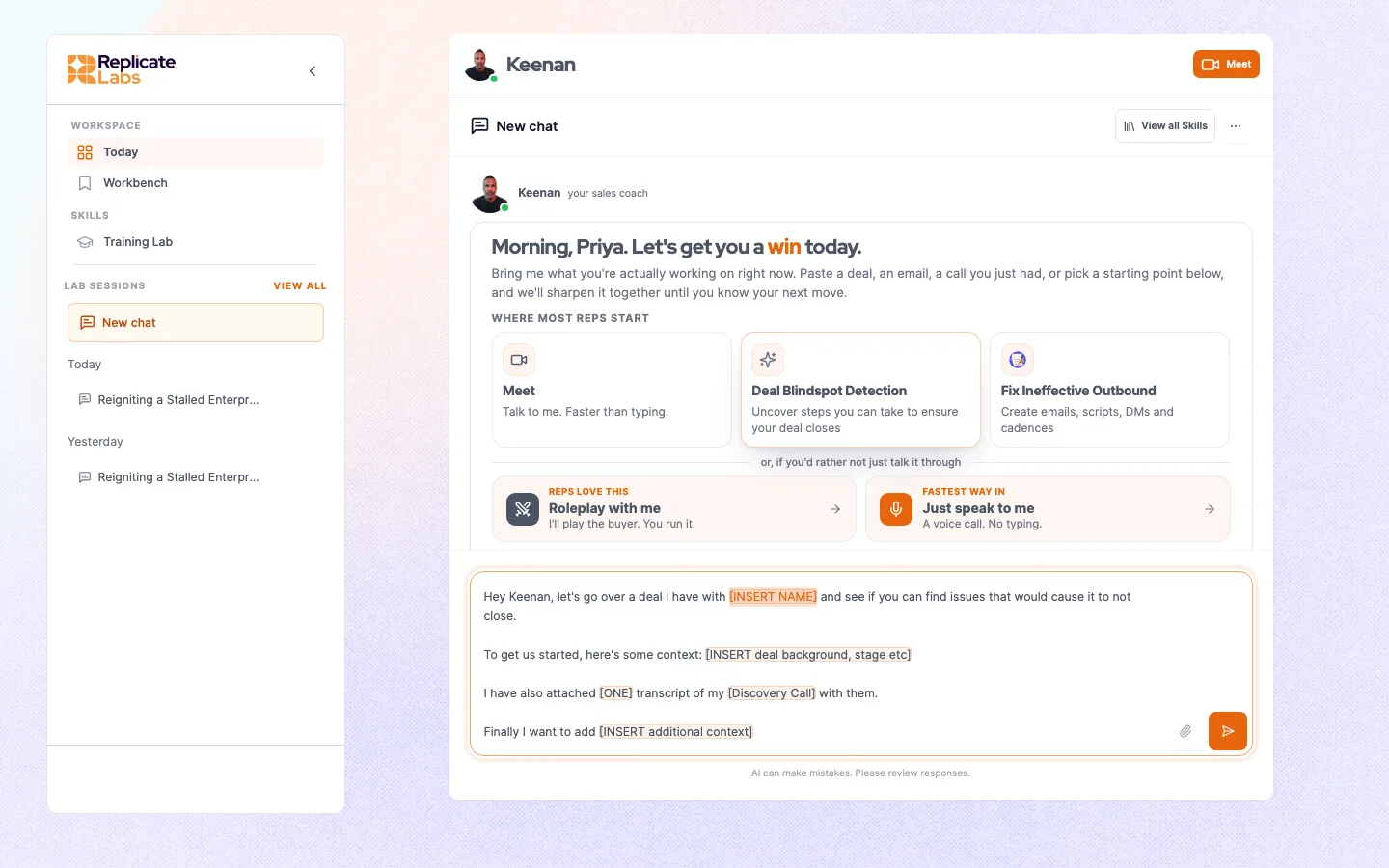
The row above the composer: what each button does, why one might do nothing when clicked, and how the set is decided.
Your coach's home has a row of buttons. Each is a prepared way in, so nobody has to start from a blank box.
They are also how an account steers the coach at the jobs that matter to that business. The set is configured per account, per coach, and per role, so it is not a fixed list and yours will not match anyone else's.
#What a button actually does
A button does exactly one of three things, and the difference matters when you are wondering why nothing happened.
If a button that runs a skill is clicked and nothing happens, the usual cause is that the skill is not loaded for your user. It fails silently by design rather than throwing an error at a rep mid-session. It is not something you can fix from the rep surface: report it to your administrator, who can get it corrected. See Troubleshooting.
#Using one properly
- Click the button that matches what you are doing.
- The composer fills, usually with placeholders for the account, the stage, and what you want.
- Replace every placeholder. A prompt sent with the placeholders still in it produces exactly the generic answer people then complain about.
- Send, then talk to the coach normally. The button is a starting point, not a form.
#Why the row changes
Three things decide which buttons you see.
- The coach you are on. Buttons belong to a coach. Switch coach and the row changes.
- Your active role. Rep, manager and admin surfaces each have their own row. A manager on the rep coach sees rep buttons.
- Your account. Some buttons are scoped to specific companies, and some appear only in particular states, for example only until you have had your first conversation.
#Getting one added
Buttons are part of coach configuration rather than something a customer administrator edits directly. If your team does the same job every week and there is no button for it, that is worth raising: it usually becomes either a button or a skill. See Coach configuration.
Last updated 3 September 2026
View as Markdown