
Getting started
Finding your way around
The surfaces you will actually use: the coach home, the composer, the call, the Training Lab and configuration.
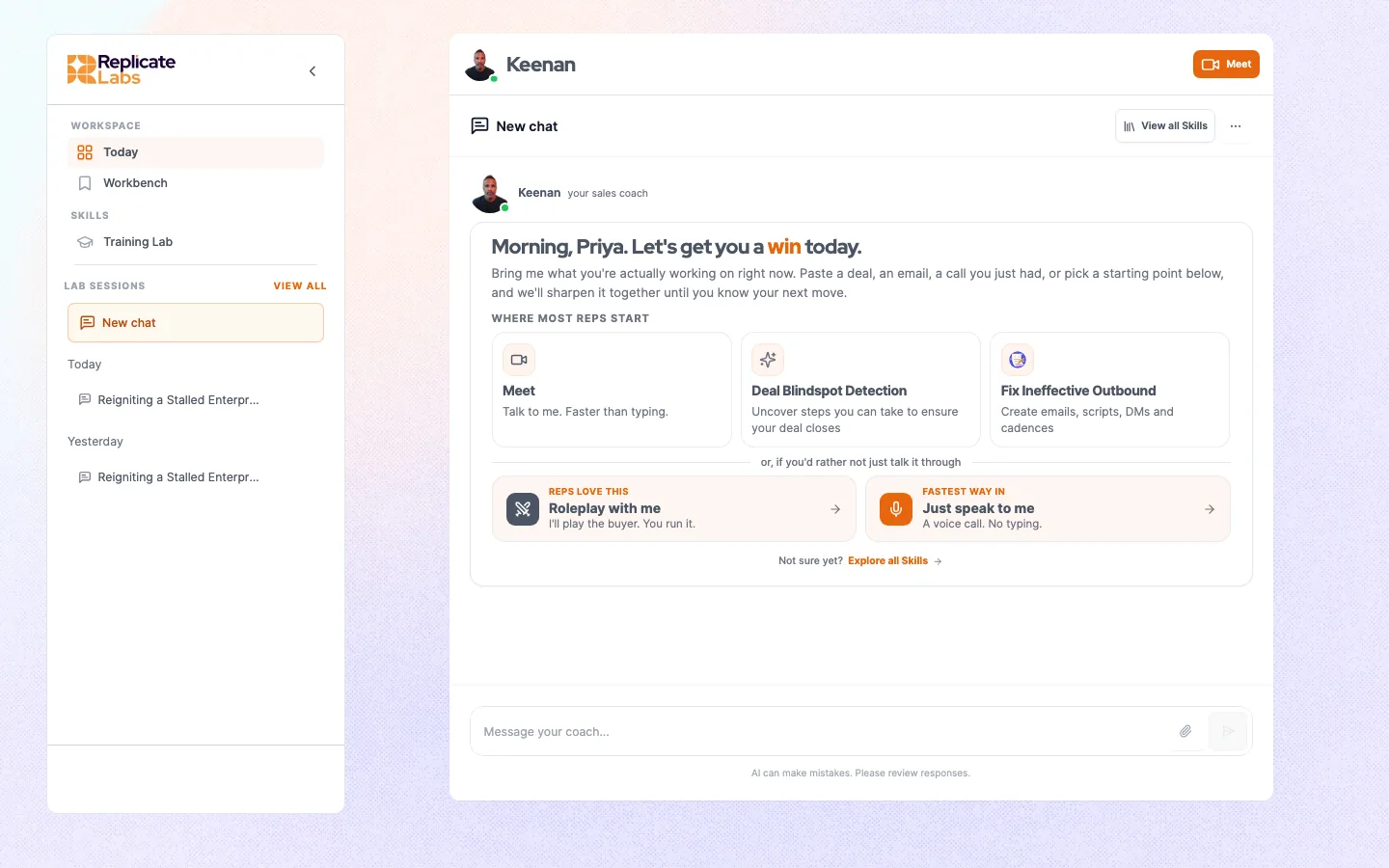
Your workspace is branded for your organisation, so colours, names and the coach's face will not match a screenshot from anywhere else. The structure underneath is the same.
#The coach home
Where you land. It holds three things worth knowing about.
#The call
The live spoken conversation. The coach appears on camera and you talk to it. This is the default way to bring a deal, not an advanced mode. See Bring a deal to a call.
You will be asked for microphone access the first time. If the browser blocks it, nothing tells you loudly; the call simply never starts properly. See Troubleshooting.
#The Training Lab
Where roleplays live. You pick a roleplay, pick the persona, and run a spoken conversation against a buyer. Afterwards you get a graded read.
What you see there is what is configured for the coach you are currently on, so if the list looks unfamiliar, check the coach selector before anything else.
#Configuration
Administrators get a configuration area covering users and teams, the knowledge base, personas, products, scorecards and roleplays. It is described through the Administration section.
Some parts of a coach, its prompts, its button set and which skills it carries, are configured by your provider rather than in this area. See Coach configuration.
Last updated 3 September 2026
View as Markdown